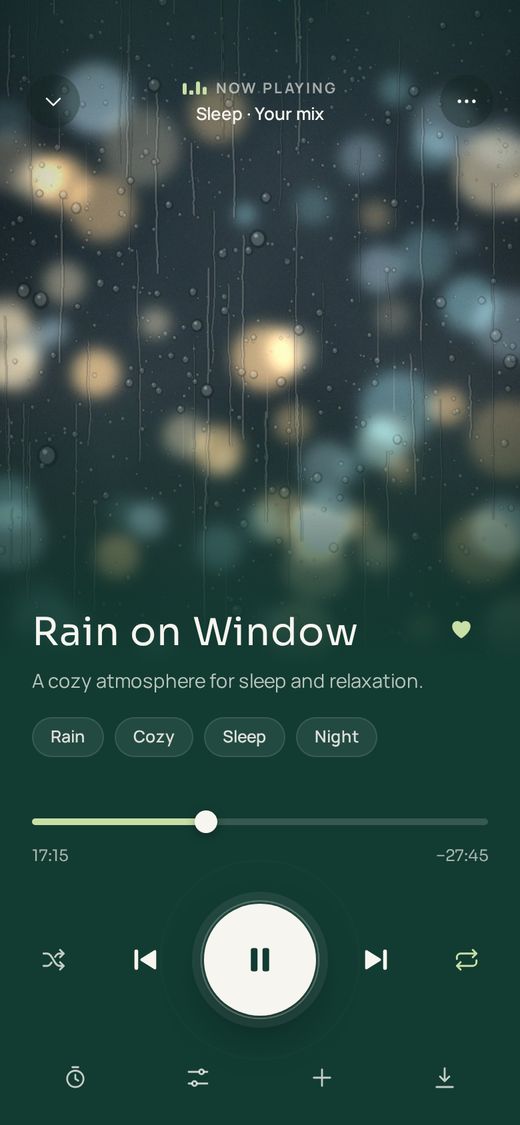
How to play sleep sounds on Alexa
There are three ways to turn an Echo into a sound machine:
- Use Alexa’s built-in sounds. Say “Alexa, play rain sounds”, “Alexa, play white noise” or “Alexa, play ambient sounds”. There’s nothing to set up.
- Enable a sound skill. In the Alexa app, search the Skills store for a sleep sounds skill, tap Enable, then open it by voice, for example “Alexa, open Sleep Jar”.
- Link a sleep sounds app. Apps like nive let you build a mix on your phone and ask Alexa to play it on your Echo by name.
What sleep sounds are on Alexa?
Alexa’s built-in ambient sounds include rain, ocean, thunderstorms, crackling fire and white noise, and Amazon says they play for up to 10 hours without interruption. On an Echo with a screen, see the full list under Music and More → Soundscapes. With Alexa+, they’re ad-free. Skills add far more, such as brown noise, pink noise, fans, airplane cabins and layered mixes.
The best sound machine apps and skills for Alexa
These are the main ways to get sleep sounds on an Echo. Prices change, so check each skill’s page before you subscribe.
| Option | How to start | Cost | Best for |
|---|---|---|---|
| nive | “Alexa, ask neev sounds to play Rain on Window” | Free sounds on any plan; Premium for every sound and mix | Your own layered mixes from the app, plus single sounds |
| Alexa ambient sounds (built in) | “Alexa, play rain sounds” | Free; ad-free with Alexa+ | Quick, no setup: rain, ocean, thunderstorm, fire and white noise |
| Sleep Jar | “Alexa, open Sleep Jar” | Free, with an optional paid Premium | A large library of sounds, plus sleep stories |
| Sleep Sounds | “Alexa, open Sleep Sounds” | Free, with optional paid extras | Simple sounds that loop, like airplane cabin or fan |
| White Noise by TMSOFT | “Alexa, ask White Noise to play brown noise” | Free to start, then a paid Premium | Noise colours: white, pink, brown, grey and more |
Which one is best? If you want a sound that’s yours, like soft rain with brown noise underneath and a little wind, build it in nive and ask Alexa for it by name. It plays exactly as you balanced it and loops all night. For something free and instant, use the built-in sounds, and for a big ready-made library, Sleep Jar is popular. Not sure which noise to pick? Our guide to brown noise vs white noise explains the difference.
How to play white noise on Alexa all night
- Built in: say “Alexa, play white noise” and don’t set a timer. It plays for up to 10 hours.
- With nive: say “Alexa, play brown noise using neev sounds”. It loops seamlessly until you say “Alexa, stop”.
- Every night: in the Alexa app, create a Routine such as “Alexa, good night” that starts your sound, dims smart lights and sets Do Not Disturb.
Keep the volume low, and put the Echo across the room rather than next to your pillow. Want to hear a sound before you pick one? Try the free rain sounds and white, pink and brown noise players in your browser.
How to set a sleep timer on Alexa
Start your sound, then say “Alexa, set a sleep timer for 30 minutes” (or 45 minutes, an hour, and so on). To remove it, say “Alexa, cancel sleep timer”. When the timer ends, Alexa stops the sound. If you’d rather the sound fade gradually, nive’s Sleep Mode does that in the app and when you cast to a speaker from your phone.
What you can do with nive on Alexa
Your own mixes
Ask for a mix by name, like Rain on Window, exactly as you balanced it in the app.
Single sounds
Want just brown noise or rain? Ask for the sound when you don't want to pick a mix.
Plays all night
The sound loops seamlessly until you say “Alexa, stop” or an Alexa sleep timer ends it.
Phone out of bed
The mix plays on your Echo, not your phone, so your phone can stay across the room.
How to link nive to Alexa
Setup takes about a minute. Enable the skill from the Alexa Skills Store or the Alexa app, then:
Enable the skill
Open the Alexa app, search for nive, and tap Enable to use.
Open its settings
On the same skill page, tap Settings.
Link your account
Under Account Linking, tap Link Account. Alexa opens the nive sign-in page.
Sign in with your nive email
Enter the email you use in the nive app, tap Send code, then type the 6-digit code we email you and tap Link account.
Questions about sleep sounds on Alexa
What sleep sounds are on Alexa?
Alexa has built-in ambient sounds, including rain, ocean, thunderstorms, crackling fire and white noise. On an Echo with a screen, you'll find the full list under Music and More, then Soundscapes. Sound skills such as nive, Sleep Jar and Sleep Sounds add many more, like brown noise, pink noise, fans, airplane cabins and layered mixes.
How do I make Alexa play sleep sounds?
Say “Alexa, play rain sounds” or “Alexa, play white noise” for the built-in sounds. For a skill, enable it in the Alexa app and open it by name, for example “Alexa, open Sleep Jar” or “Alexa, ask neev sounds to play Rain on Window”.
Will Alexa play sleep sounds all night?
Yes, with the right source. Amazon says its built-in ambient sounds play for up to 10 hours without interruption. Most sound skills loop for hours too, and nive keeps looping until you say “Alexa, stop” or a sleep timer ends it.
What are some good free Alexa sleep sounds?
Alexa's built-in ambient sounds are free: rain, ocean, thunderstorm, crackling fire and white noise. Sleep Jar and Sleep Sounds also have free sounds, with optional paid upgrades. Free options can include occasional prompts to upgrade.
Can you use Alexa for white noise?
Yes. Say “Alexa, play white noise” to use the built-in sound, or use a skill if you want other noise colours, such as pink or brown noise.
Is there an Alexa app that plays white noise?
Yes, several. Alexa has white noise built in, and skills such as nive, White Noise by TMSOFT, Sleep Jar and Sleep Sounds play white, pink and brown noise. Skills are enabled from the Alexa app; there's nothing to install on the Echo itself.
What is the best white noise to play on Alexa?
It depends on what keeps you awake. White noise is best at covering voices, but it can sound harsh. Pink noise and rain are softer and balanced. Brown noise is a deep rumble that covers traffic and snoring well. Whichever you choose, keep the volume low.
How do I ask Alexa to play white noise all night?
Say “Alexa, play white noise”, and don't set a sleep timer. The built-in sound plays for up to 10 hours. If you need longer or a different noise, use a skill that loops, such as nive: “Alexa, play brown noise using neev sounds”.
What is the best sound machine app?
It depends on what you want. If you want your own mix, such as rain with brown noise and a little wind, played on your Echo exactly as you balanced it, nive is designed for that. For something free with no setup, use Alexa's built-in ambient sounds, and for a large ready-made library, Sleep Jar is popular.
Which apps are compatible with Alexa?
Alexa works with thousands of skills, which are voice versions of apps you enable in the Alexa app. For sleep, that includes nive, Sleep Jar, Sleep Sounds and White Noise by TMSOFT, as well as major music services.
Which music apps are compatible with Alexa?
Amazon Music, Spotify, Apple Music, Deezer, TuneIn and iHeartRadio work with Alexa, and Pandora and SiriusXM are available in the US. Availability varies by country. In the Alexa app, go to Settings, then Music & Podcasts, to see and link the services in your area.
What are the best apps for Alexa?
For better sleep, you only need a few: a sound skill for white noise or nature sounds, a music service for calm playlists, and the Alexa app's Routines, which can start your sleep sound and dim smart lights with one phrase, such as “Alexa, good night”.
Which apps should I install for Alexa?
Install the Amazon Alexa app on your phone first. Skills don't need installing: you enable them in the Alexa app and they work on every Echo on your account. To play nive mixes, install nive on iPhone or Android, then enable and link the nive skill.
Is Alexa or Echo better?
They aren't alternatives. Alexa is Amazon's voice assistant, and Echo is the range of speakers and displays that run it. For a bedside sound machine, an Echo Dot works well. A larger Echo gives fuller bass for brown noise, and an Echo Show adds a screen with Soundscapes.
How do I set a sleep timer on Alexa?
Start your sound first, then say “Alexa, set a sleep timer for 30 minutes”, or any length you like. Say “Alexa, cancel sleep timer” to remove it. When the timer ends, Alexa stops the sound.
Does the nive sleep timer fade out on Alexa?
On an Echo, use Alexa's own sleep timer, which stops the sound when it ends. The gradual fade-out of nive's Sleep Mode works in the app and when you cast from the app to a speaker with Google Cast or AirPlay.
Do I need nive Premium?
No. The free sounds play on Alexa on any plan, and linking a free nive account adds your own mixes made from them. Premium sounds, and mixes that use them, need nive Premium, which starts with a 7-day free trial.
Why do I say “neev sounds”?
nive is pronounced “neev”, so that's the name Alexa listens for.
Which email should I sign in with?
Use the same email you use in the nive app, so Alexa can find your mixes. No account yet? Create one in the app first, then come back to link.
Play your own mix on Alexa
The free sounds play on Alexa on any plan, and Premium unlocks every sound for $0.99 a month or $9.99 a year after a 7-day free trial. Build your mixes in the app, then ask Alexa for them by name.
Amazon, Alexa, Echo and all related marks are trademarks of Amazon.com, Inc. or its affiliates. Other product names are trademarks of their respective owners and are used only to identify them. nive is not affiliated with or endorsed by Amazon or any app on this page.